
Curves, bridges & overhangs
3DBenchy ↗
A tiny boat with plenty to teach you. Start with the stock profile, then inspect its cabin, roof and curved hull.
By Creative Tools · PrintablesWelcome to Happy Printing
A tiny dinosaur. A hook that fits just right. Whatever you’re dreaming up, pick a guide below and let’s get it on the build plate.
Find nearby makerspaces, libraries and print services—search any city or postal code.


Featured Printer
Four independent toolheads make this our pick for prints that switch colors or materials often. See where the U1 earns its place and when a simpler printer makes sense.
Read why we picked the U1
Software guide
Make a nameplate, sculpt a creature, or turn an image into a print. Pick a project and we’ll get you from the app to the build plate.
Find an app and a first projectMake the first layer part of the design
Everyday PEI, lower-temperature grip, diamond patterns and holographic effects. Find a plate that fits your printer, then choose how you want your print to look.
Explore build plates →Three approachable projects, one skill at a time. The toy illustrations show the idea; use the linked creator’s files for the actual model.
Curves, bridges & overhangs
A tiny boat with plenty to teach you. Start with the stock profile, then inspect its cabin, roof and curved hull.
By Creative Tools · PrintablesA playful first toy
Pick a favorite color and try a small fidget. Follow the creator’s orientation and clearance guidance before scaling it.
By See creator on MakerWorld · MakerWorldDetail & a matching set
Start with a pawn. Then make two contrasting teams and compare how the spiral details print on taller pieces.
By BigBadBison · ThingiverseNext-level inspiration
Six creator projects show what color blending, light, moving parts and frequent tool changes can do. Full Spectrum creates apparent shades through fine layers or dithering; it does not mix liquid inks in the nozzle. Match the project, filaments and slicer to your printer.
Full Spectrum · Snapmaker U1
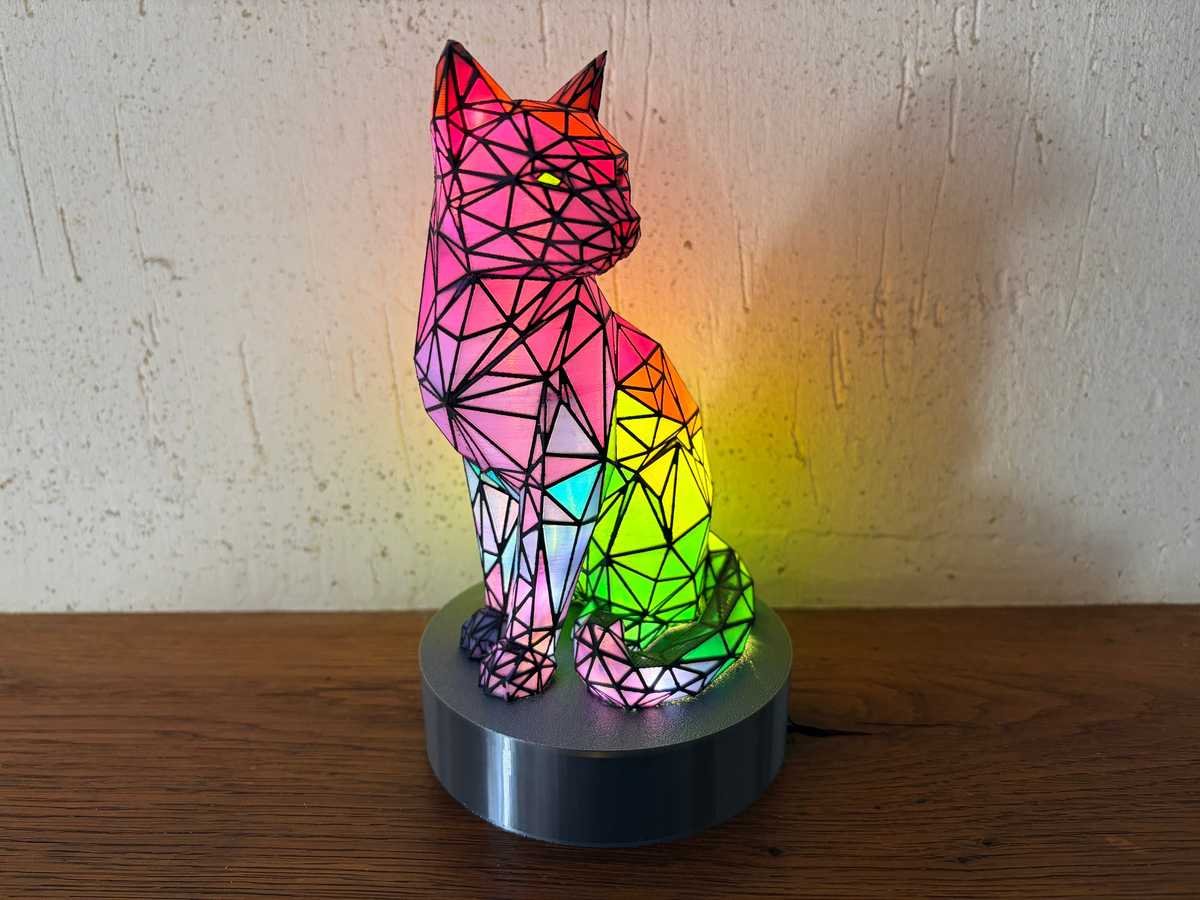
A glowing, faceted cat uses black plus cyan, magenta and yellow with 22 custom blends. The hollow shell turns color mixing into a light show.
Advanced · use the creator’s U1 profile, specified Full Spectrum filaments and LED assembly guide.
By 3DDje · Snapmaker Space
Full Spectrum · MakerWorld
Five base filaments create a richly colored dragon through optical dithering. The creator’s H3C print shows how repeated tool changes make complex surface color possible.
Advanced · creator’s H3C / CMYKW workflow. Open the full project and confirm compatibility before slicing for another printer.
By 3dxav / PaintONPrints · MakerWorld
19 shades · four base colors
A color wheel you can hold: mixed-color spheres snap into a display base. It is an attractive way to compare the blends your actual filaments produce.
Download the creator’s configured 3MF. The listing warns that ordinary platform print profiles may omit its mixed-color assignments.
By Franken 3D · MakerWorld
Color mixing, light & moving parts
A false-color moon and rotating observatory shade combine optical color mixing with a working mechanism. The two moon halves demonstrate different color techniques.
Advanced · U1 profiles, specified CMYW slots, assembly and a correctly sized LED disc. Use the creator’s tested split observatory option.
By Tasty Voxels · Snapmaker Space
Five colors from four spools
Yellow and red alternate to read as orange, while blue legs and black spots stay distinct. A small figure makes the difference between solid colors and optical blends easy to see.
Advanced · follow the creator’s four-slot assignment and support guidance. Fine layers and frequent changes make this a substantial print.
By Ctrl+P – Kreatives Chaos · Snapmaker Space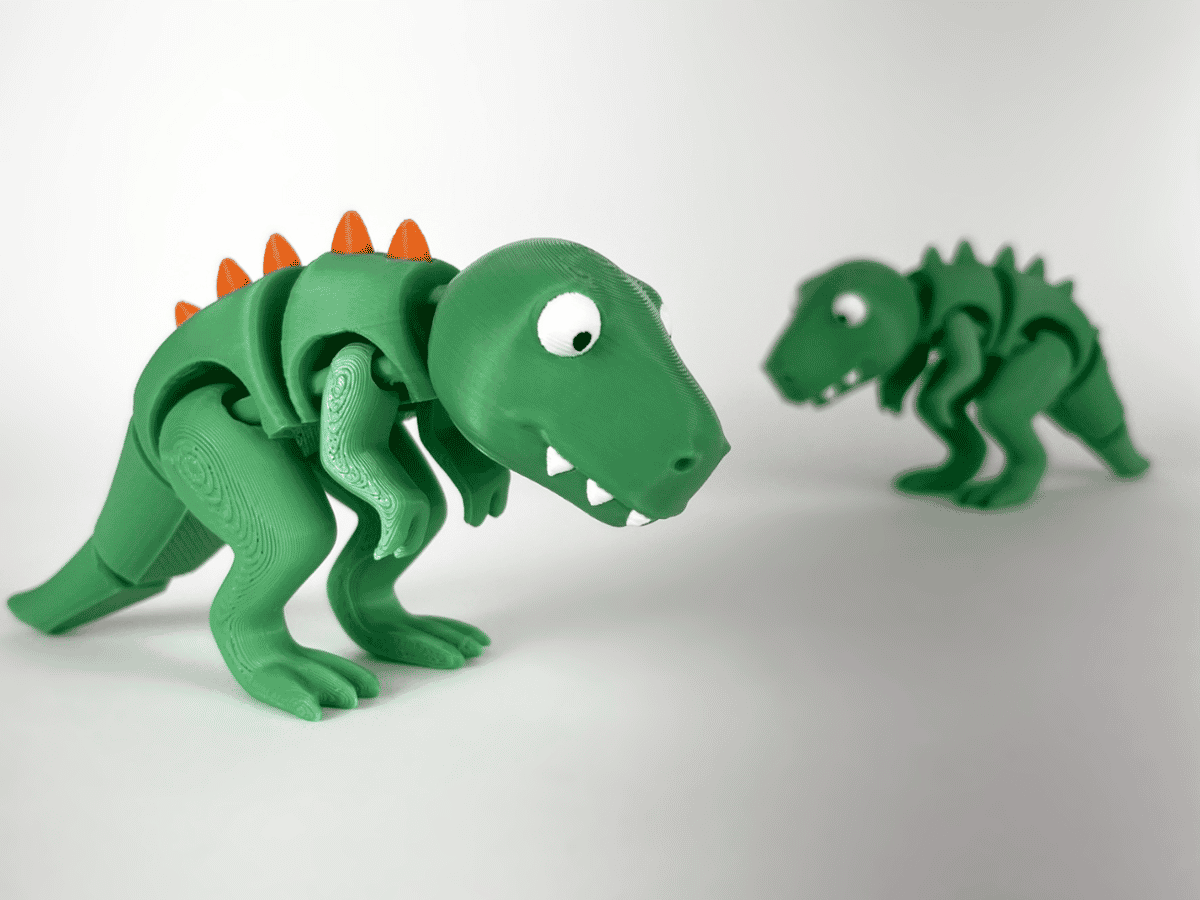
Print-in-place articulation
A moving dinosaur adds another challenge: keep joints free while color details bring the creature to life.
Use the creator’s multicolor 3MF and matching printer profile. Inspect joint clearance and support placement before printing.
By Inplace · Snapmaker SpaceShowcase photos are the creators’ published previews, credited on each card. Follow each model’s license. How printers change materials → · Find the software →
Use a model or profile for your exact printer. More printing guides ↗
THE SLICE
Hardware
Choose the opening, understand wear and melt flow, and find a compatible nozzle for your printer.
Find your nozzleLevel 2 · Materials
Pick a material by what your print needs to do. Then check the diameter, feed path, and print profile before you buy a spool.
Find the right filamentGET OUT THERE
MORE WAYS TO MAKE
Plan equipment, lessons and instructor support around the people running your program.
Explore education ↗Hands-on demonstrations, shared event experiences and creator collaborations.
Build an event with us ↗Develop projects with makers, sponsors and the people they’re intended to serve.
Explore charitable projects ↗THE SLICE NEWSLETTER
Get new guides, maker stories and event picks from Happy Printing.